How to simulate a suspended data movement in SQL Server 2016 AlwaysOn Availability Group (AG)
Select one of the user database.
- First right clicked the user database –> under Available Database à Select Suspend Data Movement
- Re-launch the Dashboard
- The Dashboard should show a critical state and several warnings
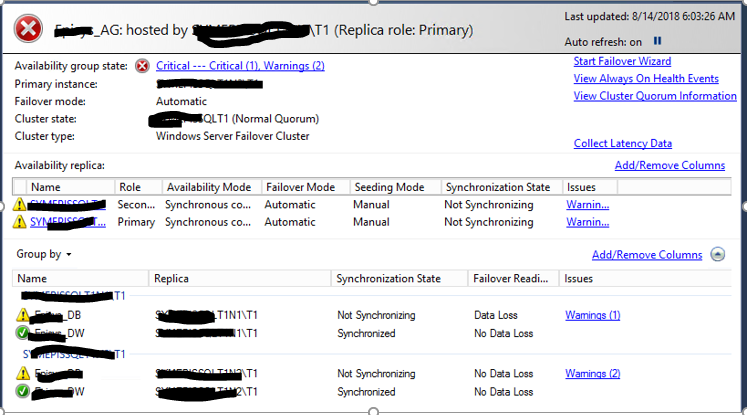
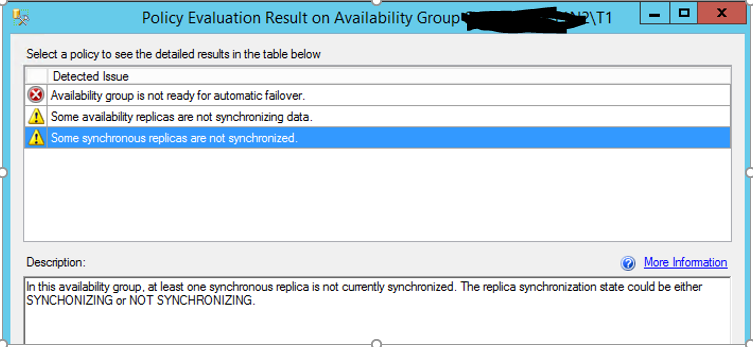
Click on “Critical and Warning” hyperlink to drill down and see the detail
 SQL INDONESIA
Leave a comment